
Delta Executor Key
Delta Mobile requires an activation key before it will run scripts — similar to other mobile executors like Hydrogen. If you don’t already have a key, follow the steps below to generate one and activate the app.
Android — how to get the Delta Mobile key
- Install Delta Mobile from its official site (the app must be on your phone).
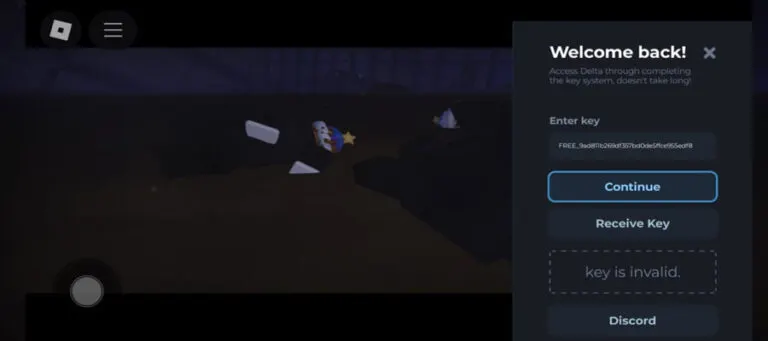
- Open the Delta app. On first launch you’ll be prompted to enter a Delta Key.
- If you don’t have a key yet, tap Receive Key.
- Tapping Receive Key copies a special link to your clipboard. Open your browser and paste the link into the address bar, then go to it.
- You’ll land on a page titled Delta Android Keysystem. Tap Continue.
- The site will ask you to finish a small number of tasks (usually two or three). Click the question mark
?next to each task to see what to do, then quickly press the back button — don’t download any apps or files that appear.
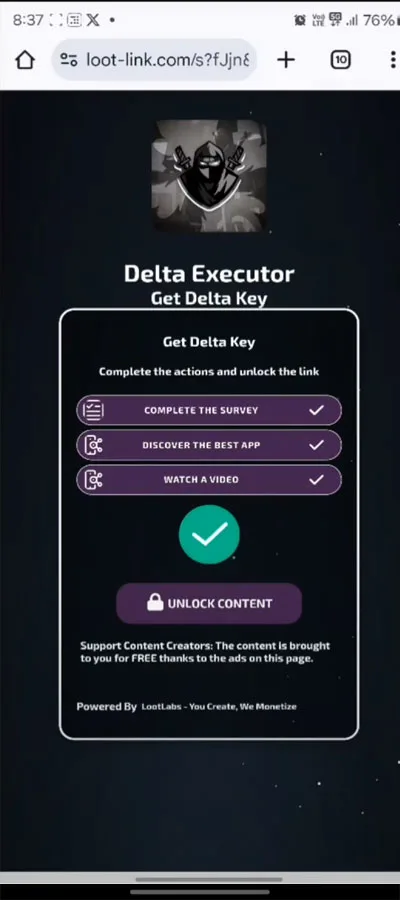
- Wait until the Unlock Content button turns green, then tap it.
- You’ll be guided through creating your key — press Continue when prompted.
- Copy the generated Delta key by tapping Copy.
- Return to the Delta app (or Roblox if prompted). When the key input appears, paste the key and press Continue to unlock full access to the executor.
iPhone & iPad — how to get the Delta key (iOS)
- Install Delta on your iOS device and open it. You’ll see a prompt to enter a key.
- If you already have one, paste it and tap Continue.
- If not, tap Receive Key — the flow is essentially the same as Android.
- Open Safari, tap the address bar, paste the copied link, and choose Paste and Go.
- On the Delta iOS Keysystem page, tap Continue.
- iOS may route you through Linkvertise or a similar service and ask that you complete a couple of tasks. Complete the tasks as instructed.
- Once finished, copy the generated key.
- Go back to Delta (or Roblox), paste the key into the prompt, and tap Continue to enable the executor.